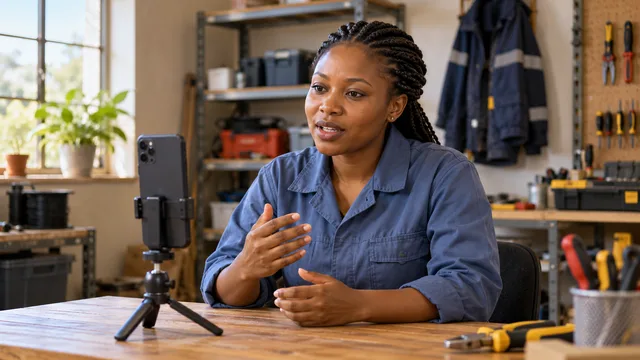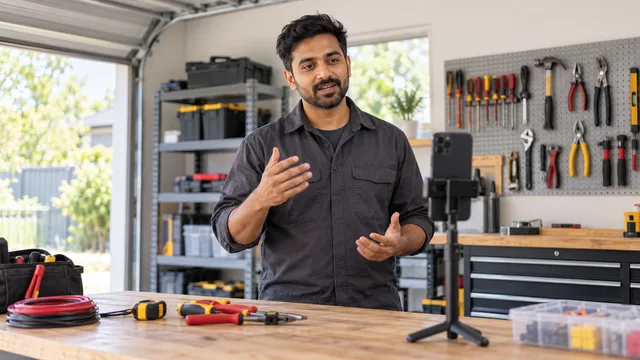
Asked for a video introduction? A rushed take could undo your CV. How to plan and record 60 seconds

A video introduction for a job application gives an employer something your CV cannot: a minute of hearing you speak, seeing how you explain your work and judging whether they want to call you. Record it badly, with a script you read word for word, poor sound or a camera pointed at the ceiling, and that same minute can leave the opposite impression. This article walks you through planning, recording and checking a 60-second video introduction, with a sample script you can adapt and the mistakes that most often spoil a good candidate's first impression.
It is written for job seekers, including people applying from overseas, who have been asked for a short video or want to add one to their profile. You do not need special equipment. A phone, a quiet room and twenty minutes of preparation are enough.
What employers look for in a 60-second video
Most hiring managers watch a video introduction to answer a few simple questions before they decide to call. They are not judging your acting or your lighting. They want to know:
- Can you explain clearly what you do? Your trade or profession, your level and the kind of work you are looking for.
- How do you communicate? Whether you speak clearly, at a steady pace, in the language the job needs.
- Does the video match the CV? The role, years and skills you mention should be the same ones on paper.
- Are you serious about this kind of role? A short, prepared video suggests you are.
A minute is enough to answer all four. Longer videos rarely help, because many people stop watching once they have what they need.
Plan your video introduction in five parts
Before you press record, write a short plan. Not a full script to read, but five points you will cover in order. Spoken at a calm pace, five short parts fill about a minute.
- Who you are (about 5 seconds). Your first name and your job title. "Hi, I'm Ravi, and I'm a qualified electrician."
- Your experience (about 15 seconds). Years in the trade, the type of work and one or two settings. Keep the numbers the same as your CV.
- One piece of proof (about 15 seconds). A specific project, task or result: a building you wired, a kitchen you ran on busy nights, a ward you worked on.
- What you are looking for (about 15 seconds). The role, the country or city if relevant, and when you could start.
- A short close (about 5 seconds). A thank you and a simple next step. "Thank you for watching. I'd be glad to talk more."
Sample script for a 60-second video introduction
Example: Ravi Kumar is a fictional electrician applying for jobs abroad. His plan, written as he might say it:
"Hi, I'm Ravi, and I'm a qualified electrician with eight years of experience in commercial and industrial work. For the last four years I've worked on fit-outs for office buildings and warehouses, from first fix to testing and handover. My last project was the electrical fit-out of a three-storey warehouse, where I led a small team and handled the final testing. I'm now looking for a commercial electrician role, and I can start within six weeks of an offer. Thank you for watching. I'd be glad to talk about the role."
Ravi does not read this from a page. He learns the five points, practises three or four times, and lets the exact words change a little each time. That is what makes it sound natural.
What to leave out
- Your full date of birth, home address, passport number or ID details.
- Your phone number or personal email spoken aloud; an employer can contact you through the application.
- Salary figures and complaints about past employers.
- Claims you cannot back up later. If you say "team leader", the employer may ask your referee about it.
How to record it on a phone
Your phone is enough, as long as you get four things right: the sound, the light, the framing and the background.
Sound first
Poor sound loses more viewers than a poor picture. Record in a quiet, small room with soft furniture, curtains or a bed, which absorb echo. Turn off fans and close windows. Keep the phone at arm's length or closer. If you have wired earphones with a microphone, test them; they often sound clearer than the phone's own microphone.
Light and framing
- Face a window, so daylight falls on your face. Never sit with a bright window behind you.
- Put the phone at eye level on a stand or a stack of books. Looking down at a phone on a desk is the most common mistake.
- Frame yourself from the middle of your chest to just above your head, with your face in the upper part of the screen.
- Look at the camera lens, not at your own face on the screen.
- Check whether the employer or platform asks for portrait or landscape before you start.
Background and clothes
A plain wall, a tidy shelf or a neat corner of a room works well. Remove anything personal you would not show at an interview. Wear what you would wear to an interview for this job. For many trades, a clean work shirt or the uniform of the trade is fine; for office and health roles, smart everyday clothes.
Record, review and re-record
Plan to record more than once. Your third or fourth take is usually the best.
- Do a 10-second test. Say your name and first line, then play it back. Check the sound level, the light on your face and the framing.
- Record the full minute. Pause for a second before you start and after you finish, so the video does not begin or end mid-word.
- Watch it as an employer would. Is your job title clear in the first few seconds? Do the years and skills match your CV?
- Fix one thing at a time. If you spoke too fast, slow down. If you looked away, move your notes next to the lens.
- Ask one honest person to watch it. A friend, a former colleague or a family member can tell you what they remember after one viewing. That is what an employer will remember too.
Do not chase a perfect take. A small pause or a slightly nervous start is normal, and many viewers find it more believable than a polished video.
Common mistakes that spoil a good video
- Reading a script word for word. Your eyes move, your voice goes flat and it sounds like a recording, not a person.
- Starting with a long greeting. Get to your name and job in the first sentence.
- Listing every skill. One concrete example tells the employer more than ten skill words.
- Different facts from the CV. A video that says ten years when the CV says seven raises a question you then have to answer.
- Music, filters and effects. They distract from what you are saying and can make the video look less serious.
- Filming outdoors. Wind and traffic noise make it hard to hear you.
Where to use your video introduction
Once you have a good video, you can use it in several places, as long as each one is allowed. Some job applications ask for a link or an upload. Some employers welcome a link in your cover letter or email. On a candidate profile, it can sit next to your work history so an employer sees both together.
If you work in a trade, a separate short clip of you doing the work can sit alongside it. The advice on what to film in a 60-second work video covers that second kind of video. A video introduction also works best when the rest of your history can be checked; the article on what a verified candidate profile shows that a CV can't explains how the pieces fit together, and if you are moving countries, read how to prove overseas work experience before you apply.
Adding a video introduction to your Talent Tabloid profile
A Talent Tabloid profile has room for one cover intro video, so employers can see how you communicate before a screening call. You record it on a phone or camera and upload it in the dashboard, and employers can watch it before they contact you. The upload takes a 9:16 portrait video as an MP4, MOV or WebM file of up to 50 MB, so record in portrait for this one. Creating your profile is free, and you can see what else goes on it on the features page or in the help centre. When your minute is ready, create your verified profile and add it next to your work history.
Frequently asked questions
How long should a video introduction for a job application be?
About 60 seconds is a good length. Follow the employer's instructions if they give a time limit, and keep it short even if they do not.
Should I read from a script?
Plan five short points instead of a full script, and practise until you can say them in your own words. Reading word for word usually sounds flat.
What should I wear in my video introduction?
Wear what you would wear to an interview for that job. A clean work shirt suits many trades; smart everyday clothes suit office and health roles.
Can I record a video introduction on my phone?
Yes. A phone at eye level, facing a window in a quiet room, is enough for a clear video introduction.